Never lose your codes.
Mauborgne keeps your one-time pads on your device, locked behind Windows Hello or your fingerprint. Add Cloud Backup & Sync and every device stays in step, encrypted so we can't read a thing.
Works with any service that offers TOTP or HOTP codes. Imports and exports Aegis vaults.

- Secrets stay on your device
- Windows Hello & biometric unlock
- Zero-knowledge cloud sync
- Open Aegis vault format
- Open source Linux client
One job, done carefully
Mauborgne generates your login codes and protects them with the strongest locks your device offers.
Locked to your device
Secrets live in Windows Credential Locker on your PC and in the Android Keystore (StrongBox hardware where available) on your phone.
Windows Hello & biometrics
Unlock with Windows Hello on your PC or your fingerprint or face on Android. Codes stay hidden until you do.
Add accounts your way
Scan a QR code with the camera, read one from an image file, or type in a setup key. Time-based (TOTP) and counter-based (HOTP) codes with SHA-1, SHA-256 or SHA-512.
No lock-in
Import from Aegis and export everything to Aegis JSON whenever you like. Your codes are yours to take with you.
Clear codes, a clock you can read at a glance
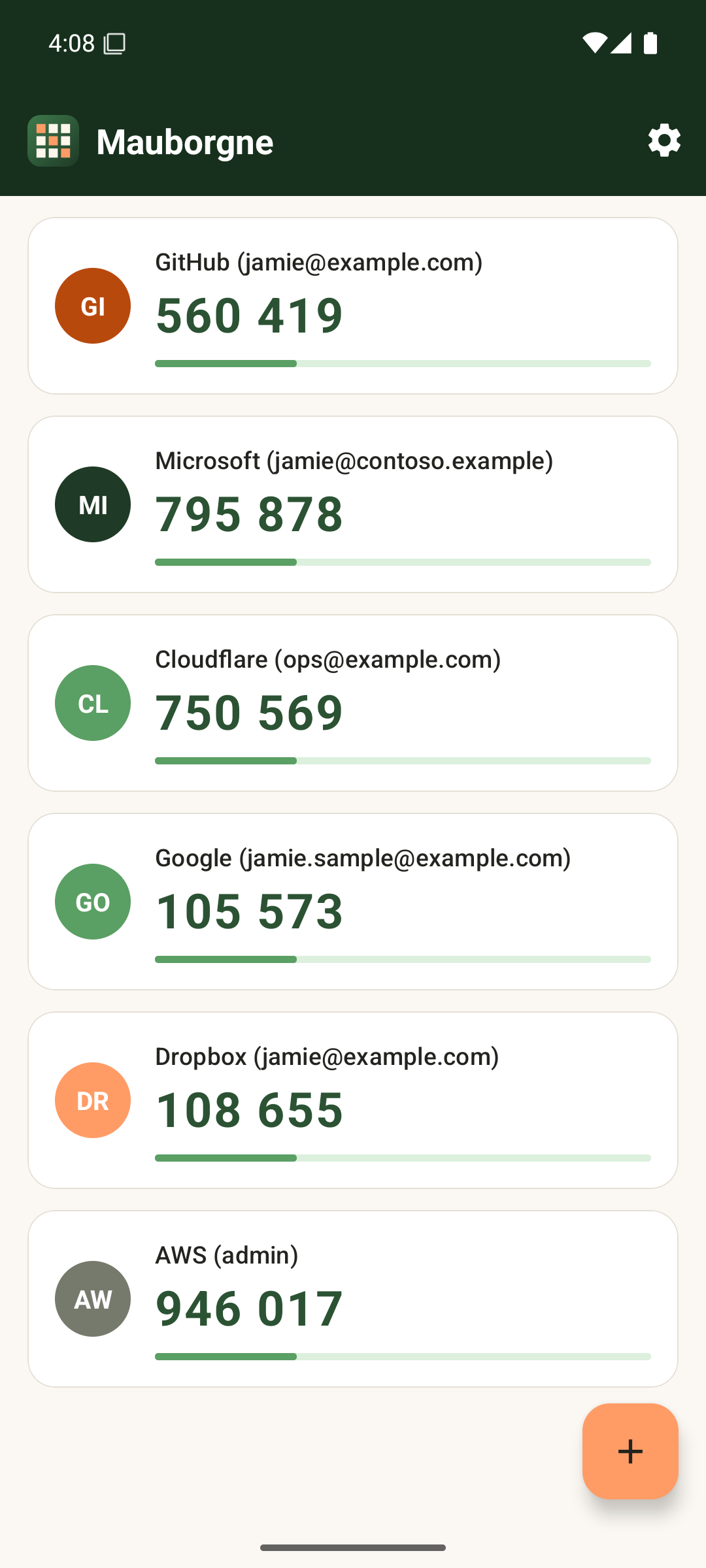
Built the Android way
A native app with Material controls, a countdown under every code, and codes that turn peach as they're about to expire.
Everything is guarded by your fingerprint or face. If you add Cloud Backup, a new phone gets every pad back after you sign in.
Pick your platform
Native apps for each system, so they feel at home and use the security the platform provides.
Mauborgne for Windows
- Windows Hello unlock
- Secrets in Windows Credential Locker
- Code-signed by Peach State Technologies
Microsoft Store · coming soon
Mauborgne for Android
- Fingerprint and face unlock
- Keys in the Android Keystore
- Camera QR scanning
- The APK needs "install from this source" allowed
Google Play · coming soon
Mauborgne for Linux
- Free to inspect, build and improve
- Same Aegis-compatible format
- Lives on its own site
A safety net we can't see inside
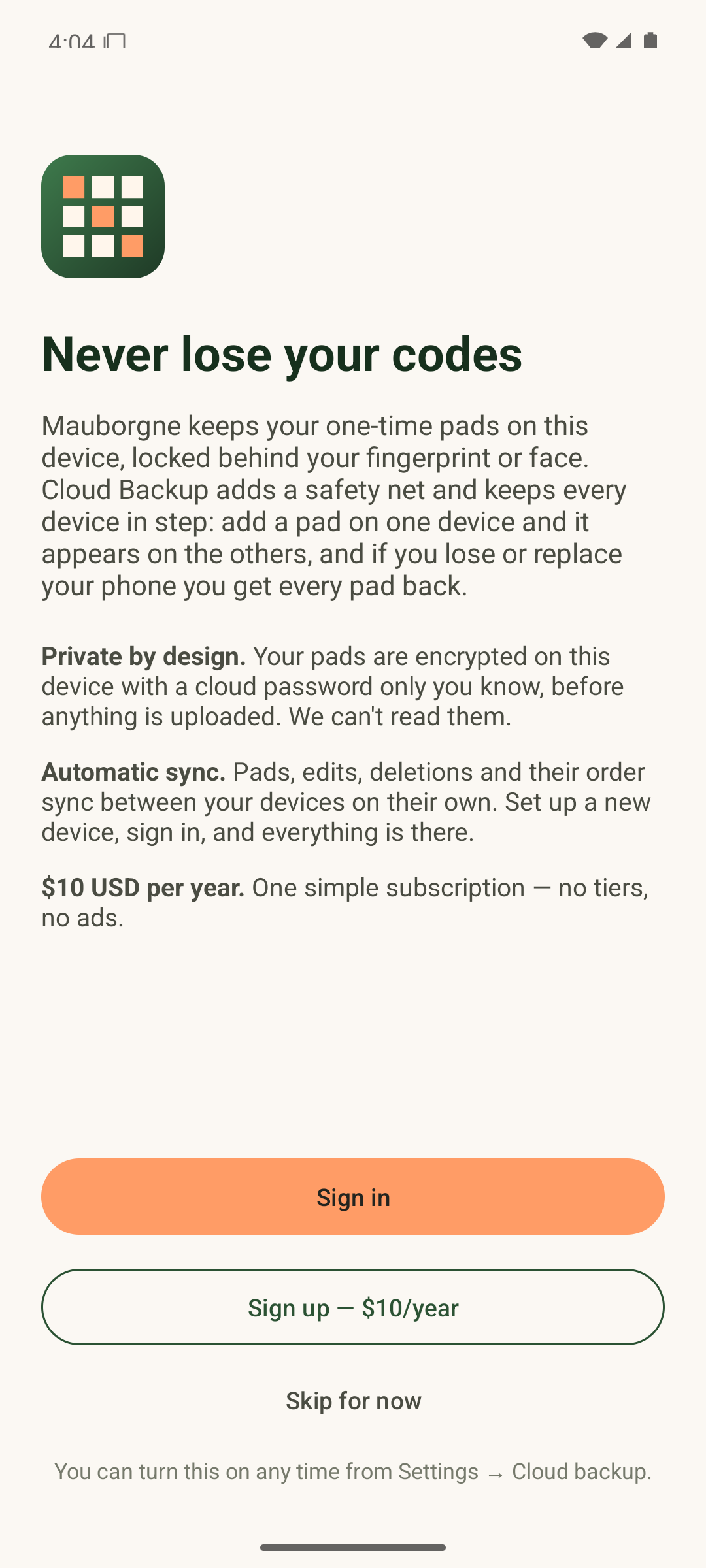
Add a pad on one device and it appears on the others. Lose or replace your phone and you get every pad back.
- Private by design. Your pads are encrypted on your device with a cloud password only you know, before anything is uploaded.
- Password never sent. Sign-in uses OPAQUE (RFC 9807), so even our server never sees it.
- Automatic sync. Pads, edits, deletions and their order sync on their own, and conflicts between devices are merged for you.
- Tamper-evident. A modified or swapped backup fails to restore rather than loading silently.
Optional. Without it, Mauborgne works fully on each device.
Pick a cloud password. It stays on your device and is strengthened with Argon2id.
Your device encrypts the vault with a fresh random key per backup, wrapped by a key only your password can produce.
Only ciphertext is uploaded to our Cloudflare-hosted service. It stores bytes it can't open.
Your other devices pull, merge and push so your PC and phone always agree.
What the server can and can't do
It can't
Read your codes, learn your password, recover your backup key, or forge a backup your devices will accept.
It can
Delete data, refuse service, or return an older genuine backup. Apps remember the last backup they saw to notice that.
Your part
We can't reset your cloud password. If it's lost, the backup can't be recovered. That's the price of real zero-knowledge.
Questions
Do I need Cloud Sync to use Mauborgne?
No. The apps work fully on their own. Cloud Backup & Sync is an optional $10 USD per year subscription for backup and for keeping several devices in step.
Can I bring my accounts from another authenticator?
Yes. Scan or load each account's QR code, enter its setup key, or import an Aegis vault. You can export everything to Aegis JSON again at any time.
What if I forget my cloud password?
We never have it, so we can't reset it. Pads already on your devices keep working, and you can start a new backup.
Is there a Linux version?
Yes, an open source client at linux.mauborgne.app.
Who makes Mauborgne?
Peach State Technologies.
Take your second factor back
Install Mauborgne in a minute. Add Cloud Sync whenever you want the safety net.
Download now